
ShipLocal - Metadata Studio
Build localized App Store assets, metadata, and workflows with precision. Formerly known as ASC Copilot.
Download on App StoreScreenshots
Description
ShipLocal - Metadata Studio is a production-focused App Store Connect operations workspace for teams and indie developers who need repeatable localization, metadata delivery, and screenshot marketing pipelines. Formerly known as ASC Copilot, it keeps the same proven workflow with an updated product identity.
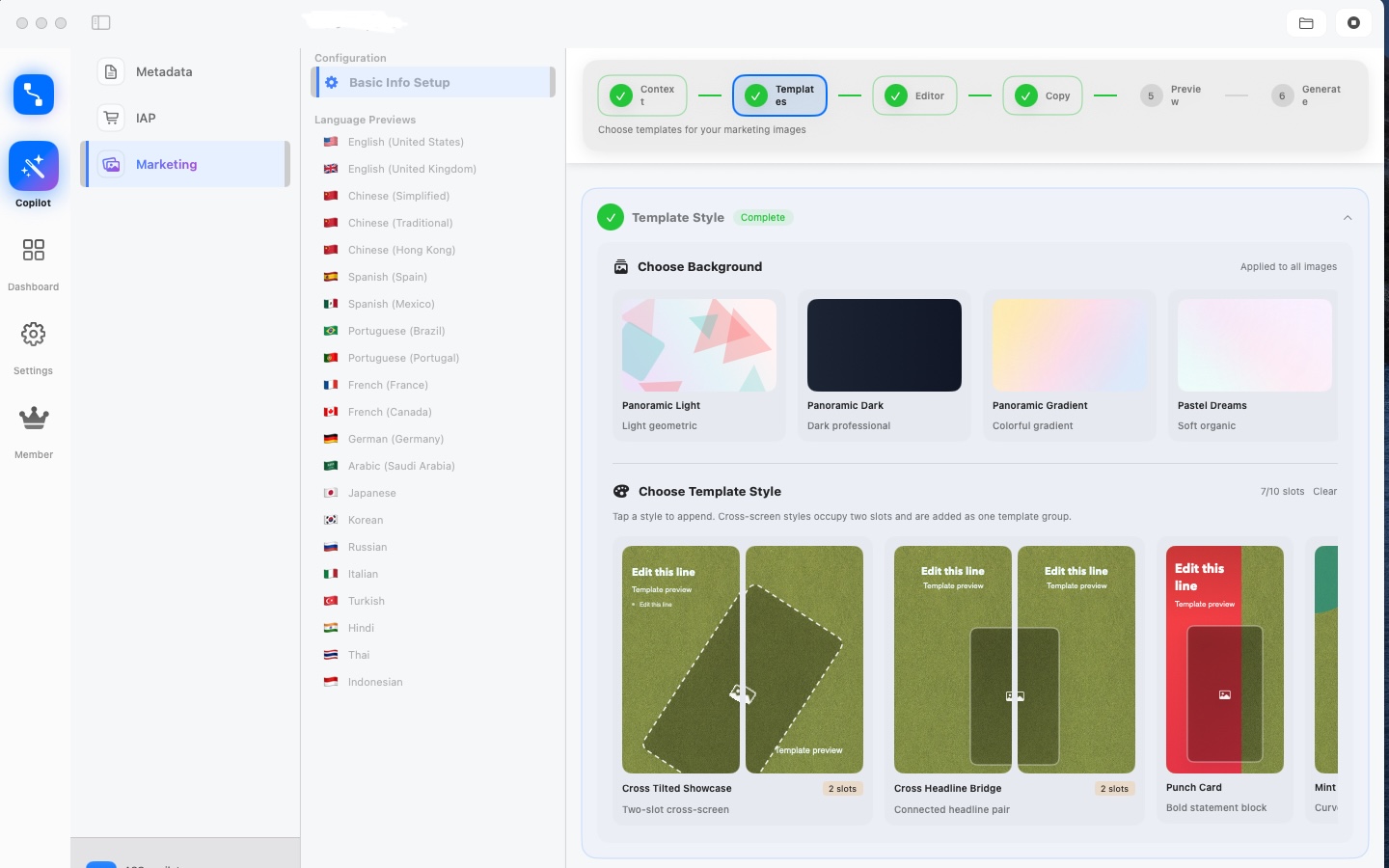
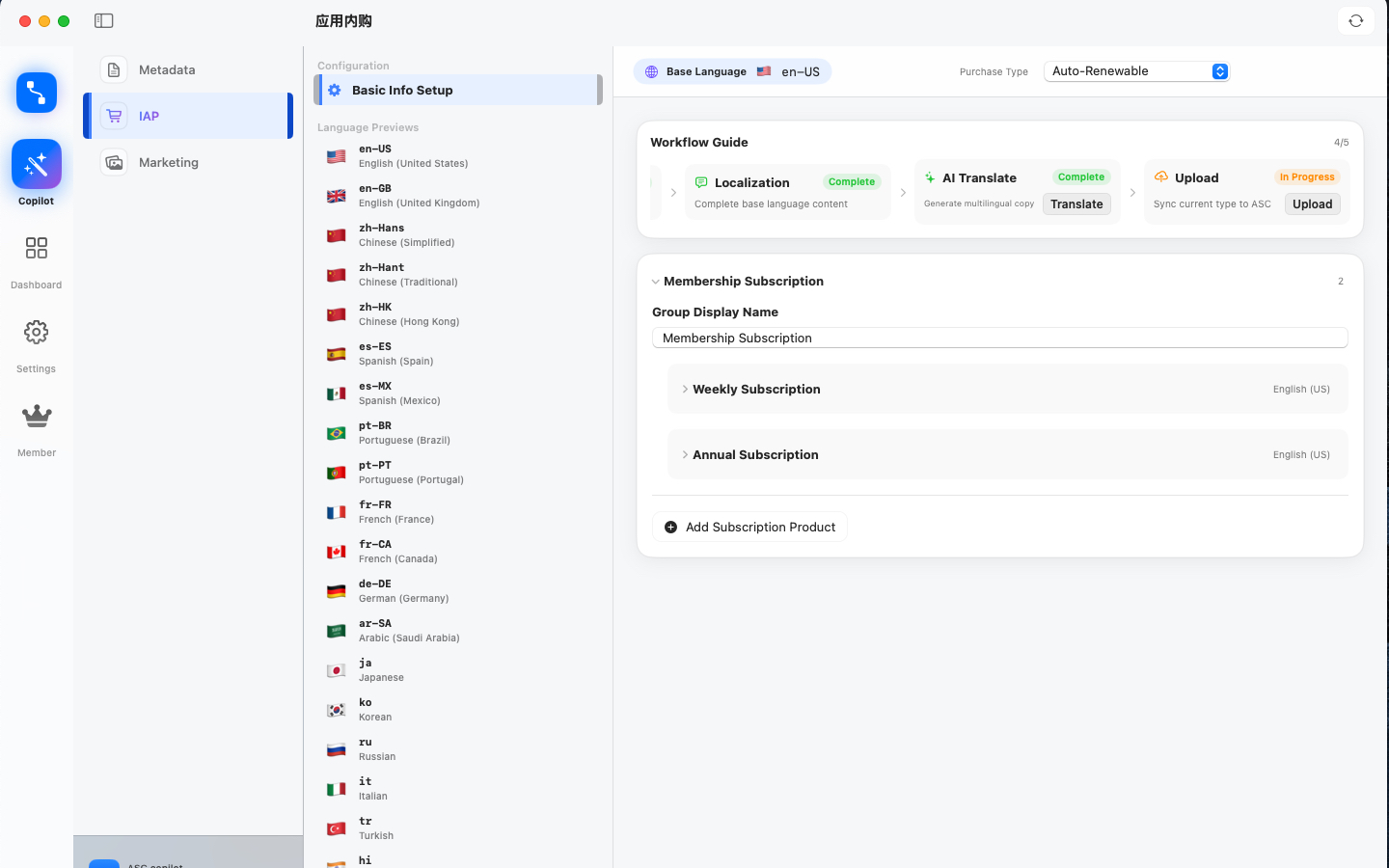
It connects project setup, template orchestration, multilingual copy generation, canvas editing, screenshot rendering, preview, and upload into one consistent workflow. Instead of passing design files and spreadsheets back and forth, product and growth teams can iterate in one place with clear slot-level controls.
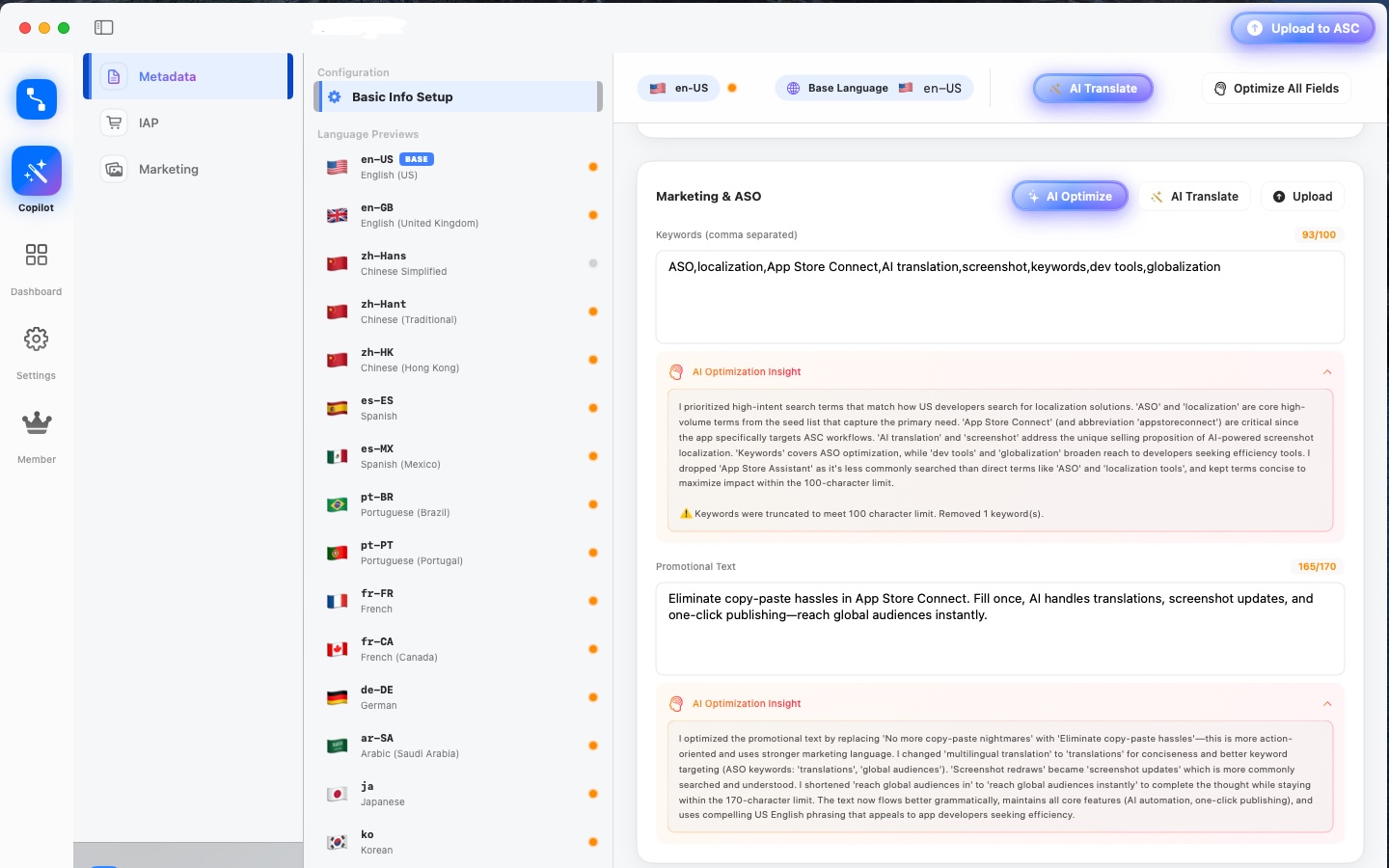
Core capabilities include multi-language metadata management, reusable marketing templates, visual screenshot composition, per-slot text editing, batch language generation, and API-based publishing. The platform is designed to reduce manual operations while keeping final assets reviewable before upload.
ShipLocal - Metadata Studio is built for practical App Store Optimization (ASO) execution. It helps teams keep title, subtitle, feature callouts, and screenshot narratives aligned across locales, which improves listing consistency and shortens launch cycles.
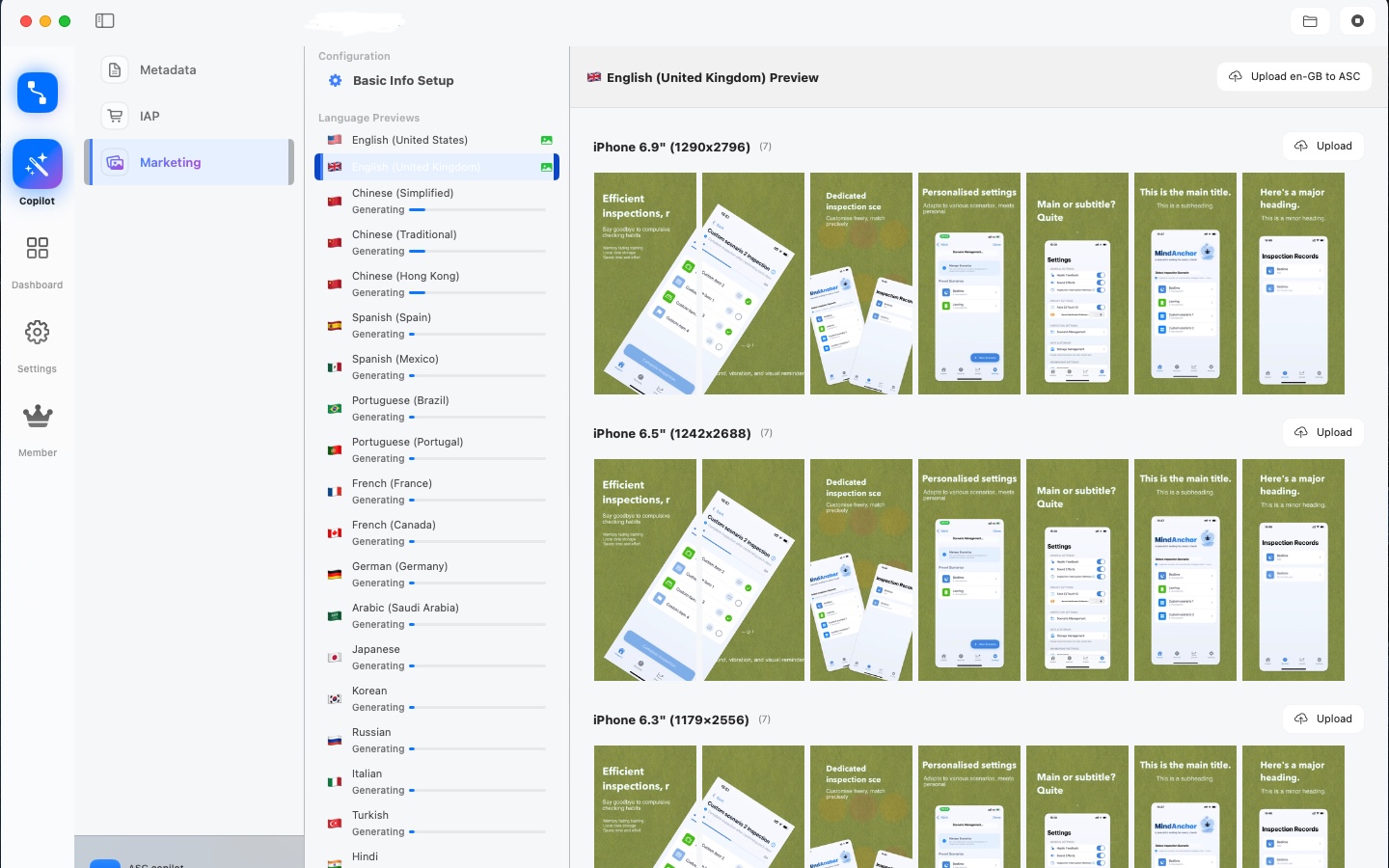
For quality and reliability, the workflow is structured around preview-first validation: edit text, verify layout, compare localized outputs, then publish. This reduces expensive late-stage rework and makes global releases easier to manage.
Typical use cases: preparing launch assets for a new app, updating seasonal campaigns, maintaining 10+ locales with stable copy quality, and running fast iterations when App Store policy or product messaging changes.
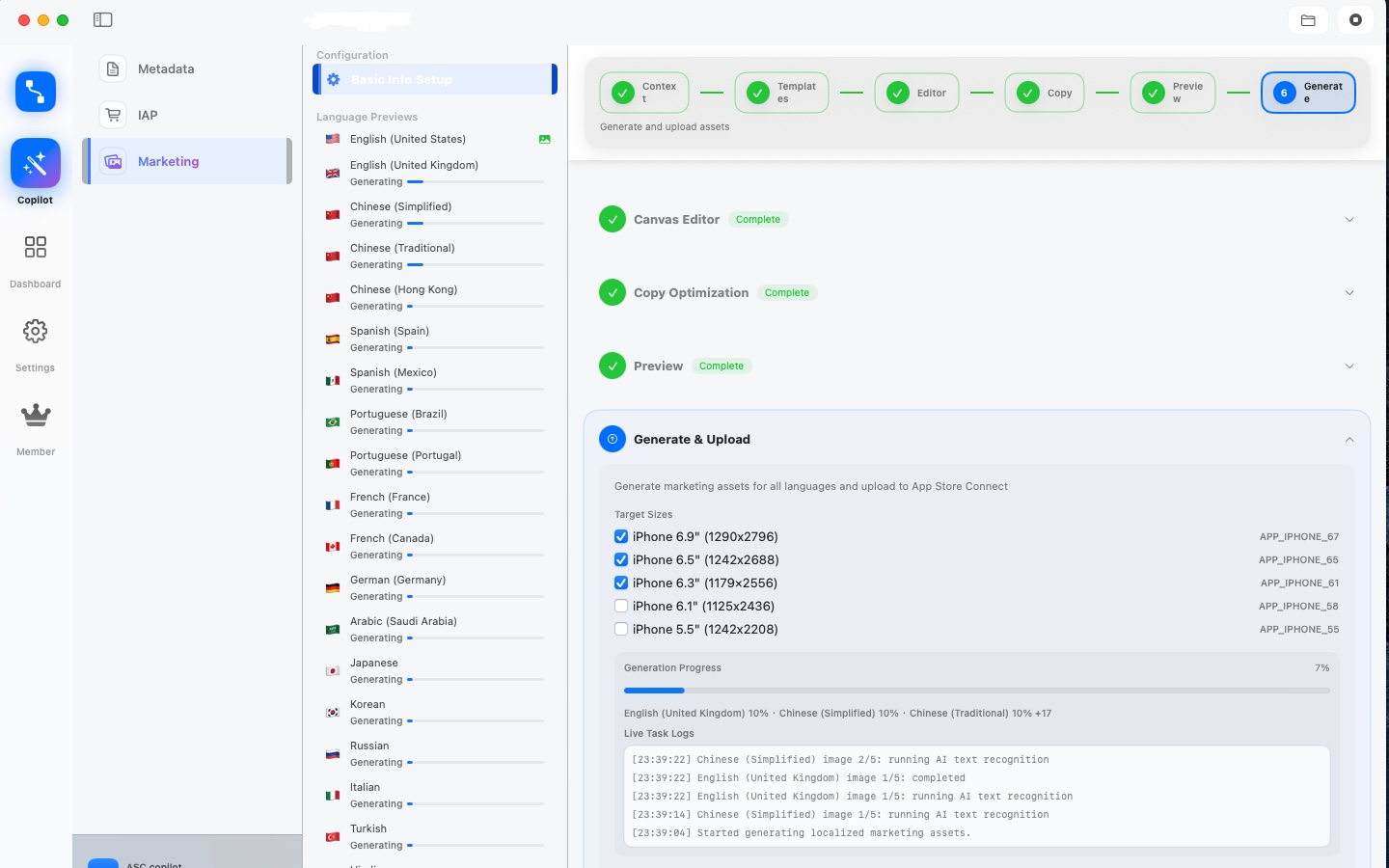
Three-step quick start: import source screenshots, choose and configure templates, then generate and upload localized outputs. ShipLocal - Metadata Studio turns repetitive publishing tasks into a controlled and measurable delivery process.
Key Features
- Structured multi-language metadata workspace for title, subtitle, and locale fields.
- Batch screenshot generation across multiple locales with reusable template orchestration.
- Canvas slot editing with per-text control to avoid cross-template overwrite risks.
- Cross-screen template composition for long narratives with independent keyword callouts.
- Preview-first publishing flow: edit, validate, compare, then upload.
- Language-specific output organization to reduce heavy memory footprint during review.
- Runtime-safe image loading strategy using lightweight thumbnails and on-demand full-resolution assets.
- Automated App Store Connect upload flow with progress visibility and error diagnostics.
- Template-level content governance to keep marketing copy consistent across releases.
- Built for production iteration: quick updates for campaigns, policy changes, and product launches.
Four-Step First Run
Set up Found It in minutes and earn your first 'found it!' moment.
-
Step 1: Add a room and a container
Start with one room (kitchen, closet, garage) and one container (a box, a drawer, a shelf). The Storage Map grows from there.
-
Step 2: Capture an item
Snap a photo. Apple Vision on-device recognition suggests a name and category. Optionally enable BYOM with your own AI provider for stronger recognition.
-
Step 3: Save it to a place — or leave it pending
Assign the exact room and container now, or save it as pending and let the Home dashboard remind you later. Register first, organize later.
-
Step 4: Search by name, room, or container
Search any item and jump straight to its last saved place. Use the Project Hub for moving, seasonal cleanup, warranties, and high-value items as your inventory grows.
Found It vs Other Home Inventory Apps
A structured comparison focused on real-life findability, capture speed, family sharing, and privacy — without naming competitors.
| Dimension | Found It | Other Similar Apps |
|---|---|---|
| Workflow continuity | End-to-end path from template setup to App Store Connect upload in one workspace | Multiple disconnected tools, frequent manual handoffs |
| Localization consistency | Slot-level editing and structured locale fields keep messaging aligned | High risk of locale drift and inconsistent terminology |
| Iteration speed | Reusable templates and batch generation reduce campaign turnaround time | Rebuild-heavy process for every locale update |
| Quality control | Preview-first validation before publishing lowers late-stage rework | Errors often discovered after export or upload |
| Team collaboration | Shared project context for product, design, and growth stakeholders | Context scattered across files and chat threads |
| Operational reliability | On-demand full image loading with lightweight previews improves runtime stability | Large in-memory assets can cause lag during multi-language review |
| Data governance | Clear asset organization and repeatable process for release management | Hard to trace which version and copy were used per locale |
Frequently Asked Questions
Common questions from families and renters who want a home inventory that actually gets used.
What does ShipLocal - Metadata Studio automate in App Store Connect?
ShipLocal - Metadata Studio (formerly ASC Copilot) automates localized metadata preparation, screenshot copy workflows, and API-based publishing to reduce manual ASC operations.
How is ShipLocal - Metadata Studio different from other similar products?
The former ASC Copilot workflow remains intact and focuses on production continuity: template orchestration, slot-level editing, preview validation, and one-click ASC delivery in a single workflow.
Can ShipLocal - Metadata Studio improve ASO outcomes for multiple locales?
It supports intent-level keyword optimization and locale-specific copy alignment, helping teams maintain consistent positioning across languages.
Is my API key data uploaded to third-party servers by default?
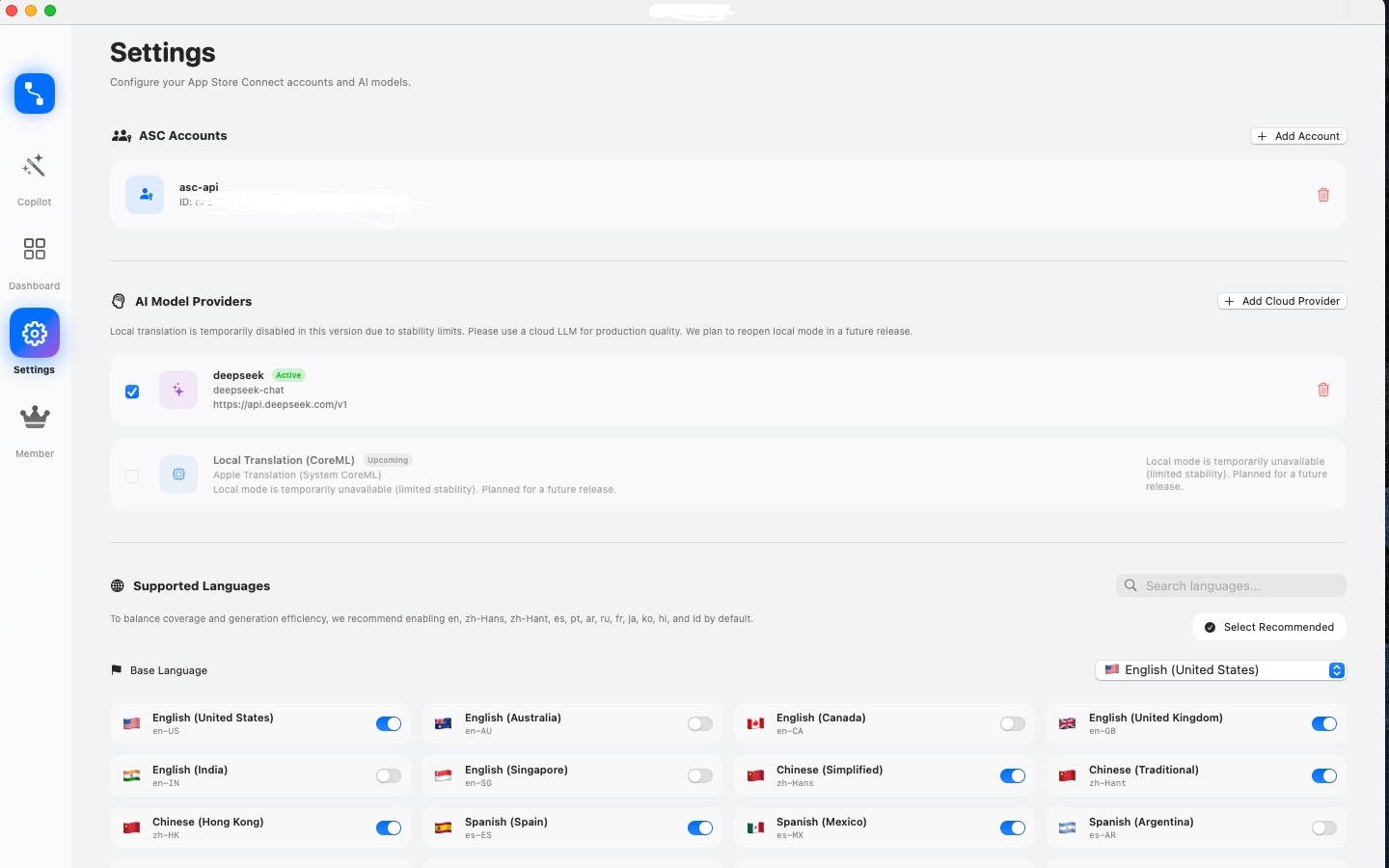
ShipLocal - Metadata Studio supports BYOK workflows where keys can remain under your control in local storage.
Who should use ShipLocal - Metadata Studio first?
It is suitable for indie developers and growth teams managing frequent App Store updates in multiple markets.